Etsy Listing Photo Tips: A 10-Shot List for POD
Etsy lets you upload up to 20 photos and 2 videos per listing, so you are not stuck with the old 10-photo limit. For a print-on-demand listing, a good starting set is 10 slots: thumbnail, on-model, in use, print detail, flat lay, size reference, colour options, personalization, gift context and a short video. Put them in the order a buyer’s questions come up. Below is the full list, with a way to fill each slot when you never touch the product and only have a supplier photo.
How many photos can an Etsy listing have?
Etsy’s help center says each listing can have up to 20 photos and 2 videos, and each video runs 5 to 15 seconds. Plenty of guides still say 10 photos and 1 video. They are out of date, so check your own listing form if yours looks different.
Twenty is a ceiling, not a target. eRank says the number of photos has no direct algorithmic impact (third-party), and says photos help by telling the story, showing angles and conveying size and materials. So add a photo when it answers a question a buyer would have, not to fill the grid. That is why the list below starts at 10.
The 10-slot shot list for a POD listing
The order is my suggestion, not an Etsy rule. It follows the questions a buyer asks as they swipe: what is it, how does it look on a person, what is it like in real life, is the print good, will it fit, what are my options, is it a good gift.
| # | Slot | What to show | Why it earns a slot | How to make it without a camera |
|---|---|---|---|---|
| 1 | Thumbnail | The product, centered, with empty space around it | It is the photo Etsy shows across its 3 thumbnail views, so it decides the click | A lifestyle mockup with the product clearly in the middle, then adjust the crop in Etsy’s editor |
| 2 | On-model | The product worn or carried by a person | Shows how it looks in real life | A lifestyle mockup made from your supplier product photo |
| 3 | In use | A mug on a breakfast table, a tote on a shoulder | Helps the buyer picture owning it | A second scene mockup in a different setting |
| 4 | Print detail | A close-up where the print and any text are readable | Buyers check quality and spelling before they buy | A tight crop of a high-resolution product photo, or a close-up scene |
| 5 | Flat lay | The product laid flat and styled | A clean look at the whole product | A flat-styled mockup or the supplier’s flat photo |
| 6 | Size or scale | A size chart, or the item next to a hand or known object | Scale is hard to judge online | A plain graphic using the size info from your supplier’s product page, or a hand-held scene |
| 7 | Colour options | Each colour you sell | Shows exactly what the choices look like | One supplier photo per colour, linked to the variation |
| 8 | Personalization | How the custom part works, with 2 or 3 example names | Buyers see what they would actually receive | Show example versions of the same design |
| 9 | Gift context | The item boxed or wrapped, with an occasion cue | Gift buyers want to picture handing it over | A gift scene mockup |
| 10 | Video | A short clip of the product in motion | Gives the listing movement the stills cannot | See the video section below |
If you want Etsy’s own list, the Seller Handbook has an article on 7 essential types of product photos. It is worth reading alongside this list.
Etsy’s thumbnail advice for the first photo
Slot 1 does the most work, so follow what Etsy’s image requirements page says:
- Shoot from further back than you think you need, so you can crop in.
- Keep the most important part of the item in the center.
- Make sure the subject is clear in all 3 views Etsy uses.
- Avoid square crops and upload horizontal or landscape images.
- Leave extra empty space around the product.
Etsy also recommends listing photos at least 2000 px in width and height. The first photo should be at least 635 px wide and high “to avoid showing up lower in searches.” For exact pixels and ratios, see my Etsy listing photo size guide.
Many guides recommend square photos, which contradicts that advice. Check the shape of whatever you export, whether it is a mockup or a supplier photo. In the listing form, “Edit” lets you crop a photo to any aspect ratio, so you can fix the thumbnail without re-exporting. A third-party roundup says the editor now also shows a thumbnail crop preview before you publish.
One more thing that bites POD sellers: don’t upload your transparent design file as a listing photo. Etsy doesn’t support transparent PNGs, and the transparent areas show as black.
Etsy has also said that in its buyer surveys, 90% of shoppers rated photo quality “extremely important” or “very important” to a purchase decision. That announcement is old, so treat it as direction, not a current benchmark.
Before and after: one supplier photo, several listing slots
The workflow for POD sellers has a specific order. Make the design, create the product at Printful or Printify, then take the product photo and turn it into lifestyle scenes. Mockups here are scenes built from a product photo, not a design dropped onto a blank shirt.
I do the scene step in LzyPOD. It turns a product photo into lifestyle mockups at 3 credits each, and a free account has 15 credits, which covers 5 mockups. Whatever tool you use, compare each result against the real product. The print, colour and text should match before you upload anything.
The tee. The input was a plain product photo of a charcoal tee with a golden retriever “Cooper” print.
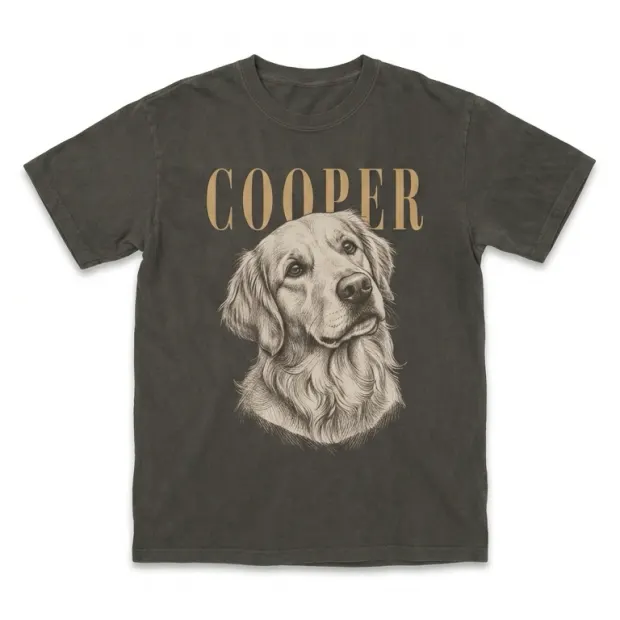
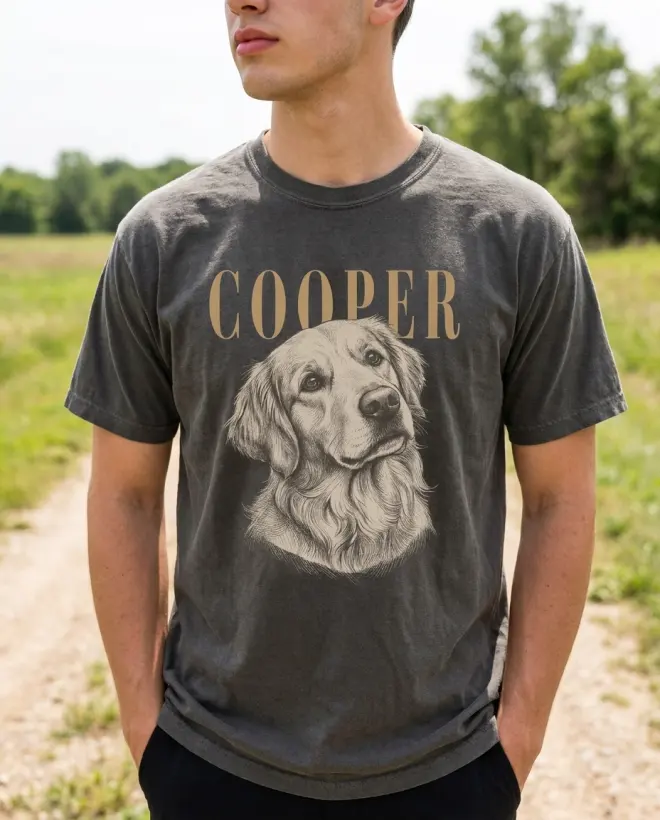
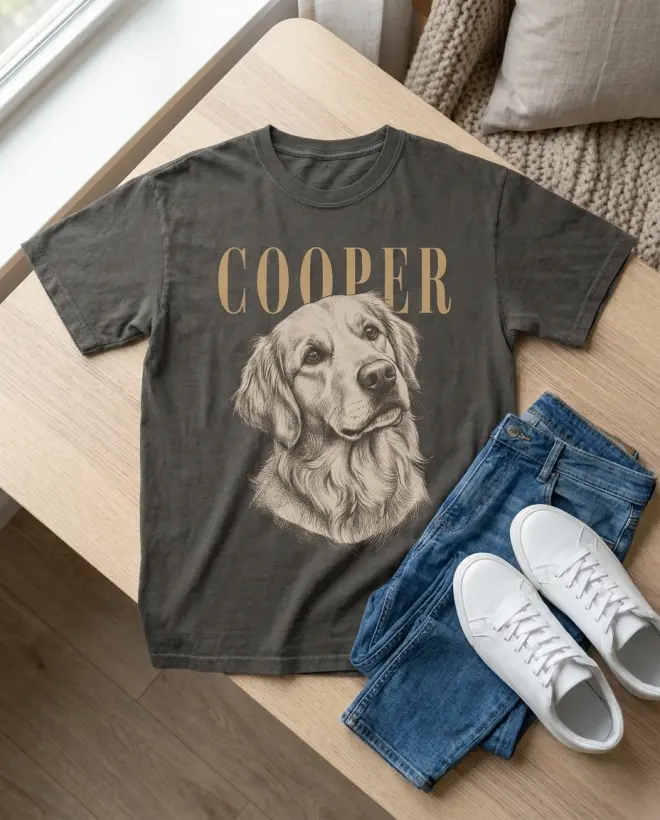
From that one photo, here is an on-model shot (slots 1 and 2) and a styled flat lay with jeans and sneakers (slot 5).
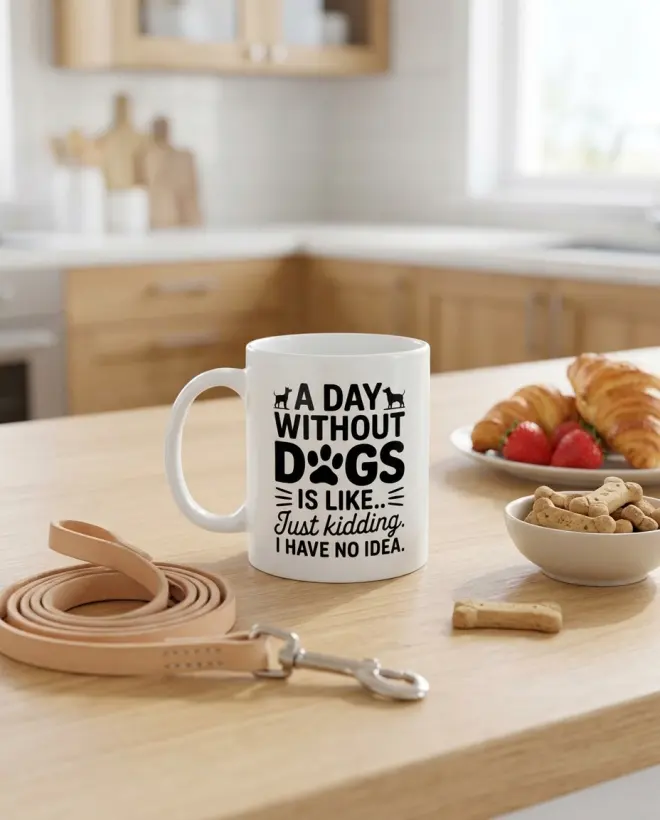
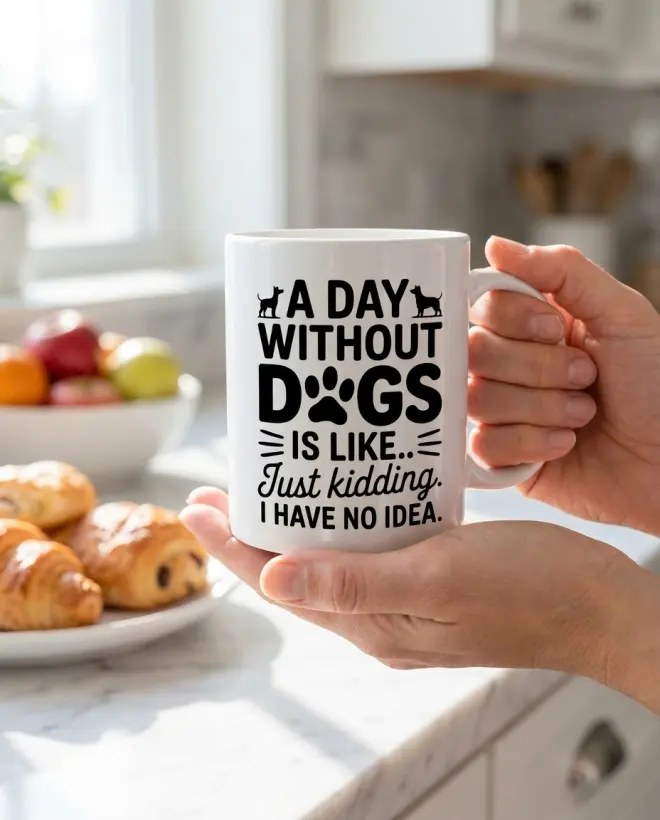
The mug. The input was a plain photo of a white mug with a dog joke on it.
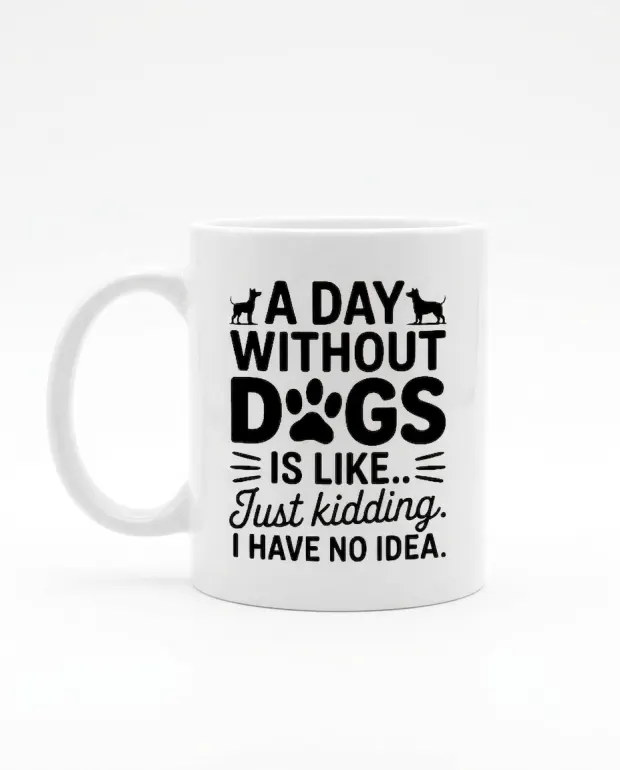
It became a kitchen table scene with a leash and croissants (slot 3), and a hand holding the mug at a breakfast table, which also gives a rough sense of scale (slots 3 and 6).
For the full process, including how to pick scenes that suit each product, see how to make product mockups for Etsy.
Variation and personalization photos
If you sell colours or sizes, give each option its own photo. In the listing, go to Variations, then “Manage variations” to link photos to options. Etsy’s variations page still mentions an older photo limit, so ignore that number and go by the 20 on the listing form.
Personalized listings need one extra photo that shows what changes. This example is one personalized pet portrait tee shown with three different pets, named Cooper, Pierre and Luna.
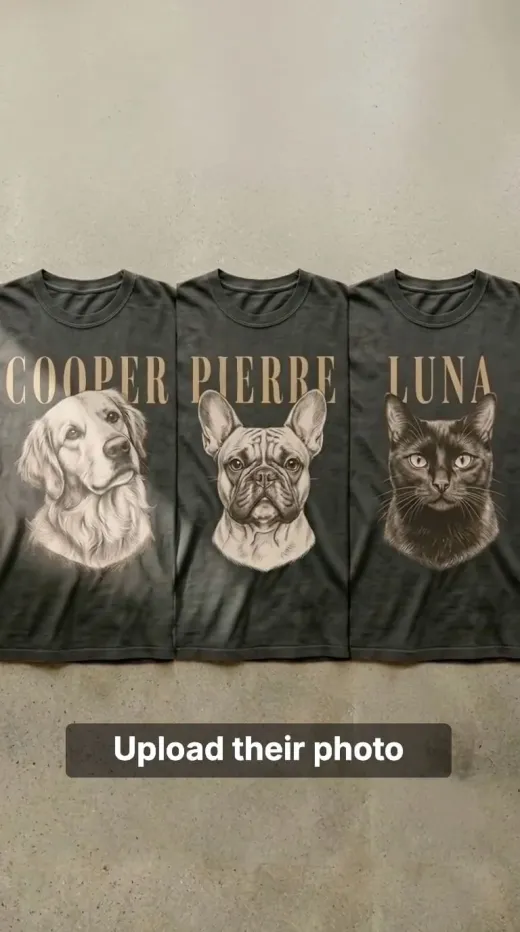
A buyer reading “custom pet portrait” can’t picture the result. Three named examples answer the question before they message you. The same idea works for names on mugs, initials on totes or dates on prints.
Where the listing video fits
Treat the video as slot 10, not slot 1. Photos carry the listing, and the video adds motion. Etsy allows 2 videos of 5 to 15 seconds each. Etsy’s help center has the current video limits. Add it after your photos are in place, since the stills are the cheaper job.
Mistakes that cost clicks
- A cluttered thumbnail. If the product competes with props, it gets lost at small size. Center it and leave space.
- A mockup that looks fake. Warped text, a floating product or an impossible shadow makes buyers distrust the whole listing. Zoom in before you upload.
- Wrong scale. A mug that looks the size of a bucket, or a tee on a model who clearly doesn’t fit it, sets false expectations. Use slot 6.
- A colour or print that doesn’t match. Check Etsy’s current policies, and show the real product colour and print.
- Square crops by default. Etsy says to avoid them. Use the Edit crop tool.
- A transparent PNG as a photo. It shows black. Upload a JPG or a rendered scene instead.
- Ten near-identical shots. If two photos answer the same question, cut one.
Common questions
How many photos should an Etsy listing have?
Etsy allows up to 20 photos and 2 videos, and 10 well-chosen photos is a solid starting set. eRank says the photo count has no direct algorithmic effect, so add a photo only when it answers a buyer’s question.
What should the first Etsy listing photo be?
Make it the product, centered, with empty space around it, and clear in all 3 views Etsy uses. Etsy recommends at least 635 px wide and high for the first photo, and says to avoid square crops.
Can I use mockups instead of real photos on Etsy?
Most POD sellers list with supplier photos and lifestyle mockups because they never handle the product. Check Etsy’s current policies, and make sure every image shows the real product colour, print and text.
Why does my Etsy photo show a black background?
Etsy doesn’t support transparent PNGs, and transparent areas show as black. Upload a JPG, or a mockup scene, instead of your raw design file.
How long can an Etsy listing video be?
Etsy’s help center says each video is 5 to 15 seconds long, and a listing can have 2.
Make your next design in seconds
LzyPOD turns a sentence into print-ready, transparent designs, lifestyle mockups and video ads. Built for POD sellers, not designers.
Try LzyPOD free → Free to try · no card needed