Etsy Listing Photo Size (2026): Pixels, Ratio, Thumbnails
Etsy recommends listing photos at least 2000 pixels wide and 2000 pixels high. Your first photo should be at least 635 x 635 px “to avoid showing up lower in searches” (Etsy Help). Use a square or landscape first photo, because Etsy crops that image into different shapes depending on where it appears. Seller guides report that each listing now takes up to 20 photos, up from 10 (List Perfectly), and that videos are added separately (TalkPix), so check your listing form to confirm both.
Etsy listing photo specs at a glance
I only trust a spec if I can trace it back to Etsy. The rows marked “third-party” come from seller guides that quote Etsy. Etsy changes these, so check your listing form before relying on a number.
| Spec | What Etsy says or does | Source |
|---|---|---|
| Recommended size | At least 2000 px wide and 2000 px high. This is a recommendation, not a hard minimum | Etsy Help |
| First photo minimum | At least 635 x 635 px, or the listing may show up lower in search | Etsy Help |
| File size | Images over 1 MB “may not finish uploading, especially on a slower internet connection.” That is a warning, not a stated cap | Etsy Help |
| First photo shape | Square or landscape. Etsy crops the first photo into square, portrait and landscape views | Third-party: Zonhack, InsightAgent |
| Max photos | 20 per listing (the old limit was 10) | Third-party: List Perfectly, Clipping Expert Asia |
| Videos | Up to two, on top of the 20 photos. Sources disagree (some say one), so check your listing form | Third-party: TalkPix, Outfy |
| File types | JPG, PNG and GIF are safe. Guides disagree on HEIC and SVG, so don’t rely on them | Third-party: Pixfocal, Clipping Expert Asia |
| Profile photo | 400 x 400 px | Etsy Help |
Two corrections to what you’ll read elsewhere:
- “10 photos” is out of date. Plenty of guides ranking for this query still say 10. Plan for 20.
- There is no official fixed “thumbnail size.” You’ll see numbers like 570 x 456 quoted. I couldn’t find any of them on an Etsy page. Etsy’s image guide gives pixel minimums, not a thumbnail dimension or a DPI. For screens, the pixel count is what matters.
For video length, format and orientation, see Etsy’s How to Add a Listing Video article.
Why your Etsy thumbnail gets cropped, and how to frame for it
Your first photo doesn’t get one thumbnail. It gets several. Etsy crops it into square, portrait and landscape views in different places (Zonhack, InsightAgent). That’s why a photo can look fine where you uploaded it and cut off part of the design on your shop page.
The Etsy forums are full of this complaint:
- Sellers report thumbnails showing as rectangles in the listing editor but as squares on shop pages (Etsy Community).
- Several threads say the Adjust thumbnail tool didn’t fix the crop (thread 1, thread 2, thread 3).
- One seller’s workaround was padding photos with blank space to make them square before uploading (Etsy Community).
You can’t control Etsy’s crop. You can make a photo that survives every version of it. Here’s how I frame slot 1:
- Make it square, 2000 x 2000 px. Etsy’s other crops then trim from the sides or top and bottom, which is why the margin in step 2 matters.
- Center the product and leave real margin. Keep the shirt, mug or print well inside the frame, with empty background on all four sides. If a crop trims an edge, it trims background instead of your design.
- Keep the design area in the middle of the frame. On apparel, the print is what sells. Don’t let it sit near an edge where a portrait or landscape crop can cut it.
- Use Adjust thumbnail, then check the live views. After publishing, look at the listing in search results, on your shop page and in the mobile app. Fix it if any of those views loses the product.
If a thumbnail looks soft, start with the source image. A likely cause is a photo below Etsy’s 2000 px recommendation, or a small product surrounded by lots of background. Try re-exporting at full size with the product filling more of the center.
A 10-slot photo plan for a POD listing (out of 20)
You have 20 slots, but you don’t need to fill them all. No published Etsy rule says filling every slot raises your ranking (PodBulk). Each photo should answer a question a buyer would otherwise message you about, or that would make them leave. These are the 10 slots I fill first on a print-on-demand listing:
| Slot | What to show | Buyer question it answers |
|---|---|---|
| 1 | The real item, centered on a clean background, framed for the crop (see above) | What exactly am I getting? |
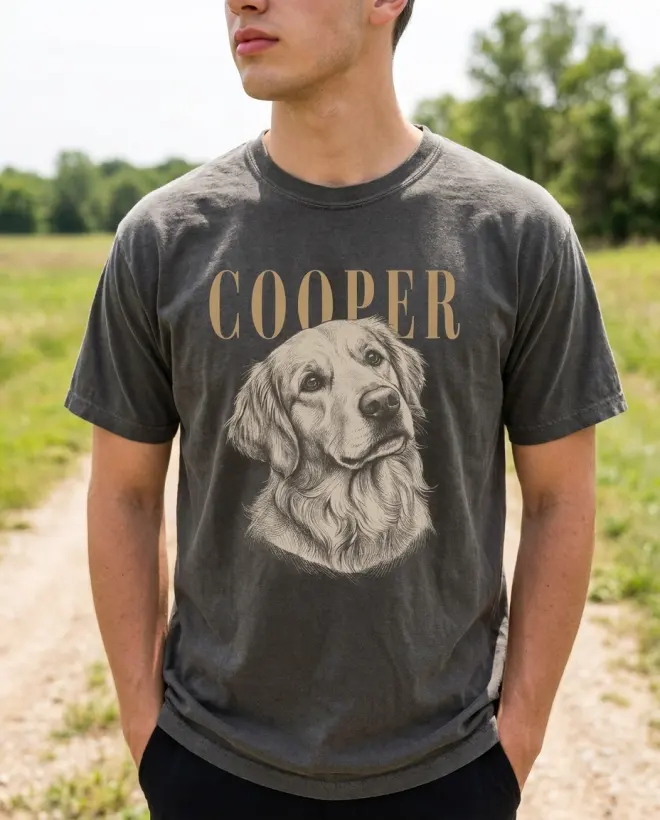
| 2 | On-model lifestyle shot | How does it look worn or in use? |
| 3 | In-use scene that fits the niche (kitchen for a mug, park for a dog shirt) | Is this for someone like me? |
| 4 | Close-up of the print | Is the print sharp? Can I read the text? |
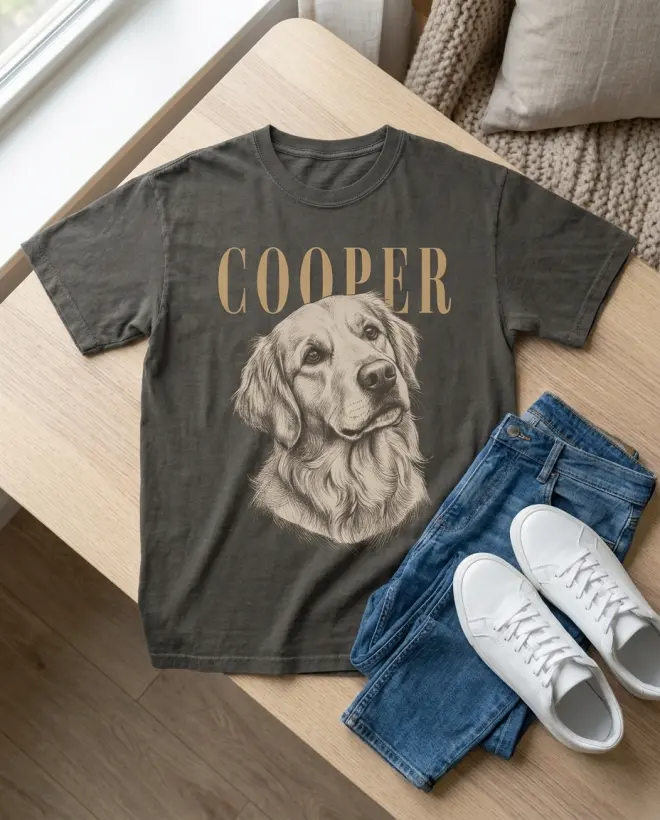
| 5 | Flat lay or styled product shot | What does it look like on its own? |
| 6 | Size chart using your supplier’s measurements | Will it fit? |
| 7 | Color or variant options | What else can I pick? |
| 8 | Second lifestyle shot, different person or setting | Would this work as a gift? |
| 9 | Personalization example (custom items) or a scale shot | What will mine look like? How big is it? |
| 10 | Materials and care as a simple graphic | What’s it made of? How do I wash it? |
Seller guides report that the listing video sits outside the 20 photo slots (TalkPix), so it’s an extra, not a trade-off.
For personalized products, Etsy’s handbook says the first image must show a finished, customized item. Don’t use a blank product or a “Your Text Here” placeholder (Etsy Seller Handbook). If you sell custom pet shirts, slot 1 shows a real pet name and portrait on the shirt.
Here’s what slots 2, 3 and 5 look like when made from a plain product photo. The slot 2, 3 and 5 examples below are AI lifestyle scenes I made in LzyPOD from plain product photos, not photos from a real shoot. This is the first input, a charcoal tee with a golden retriever print:
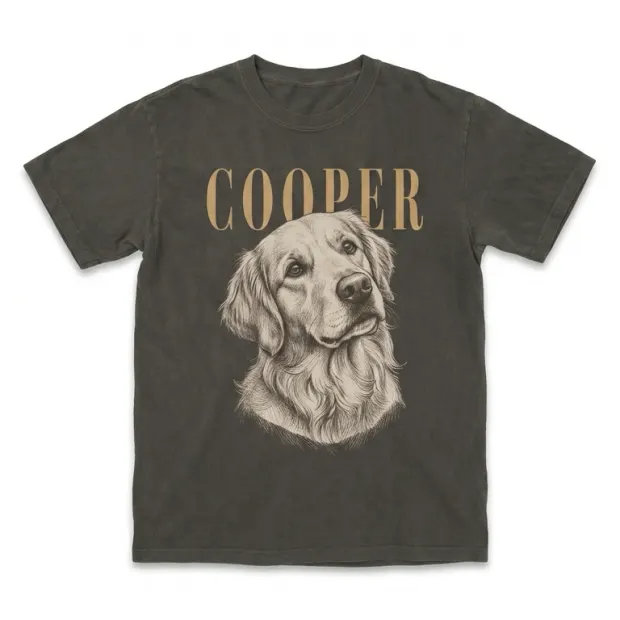
From that one photo, I made an on-model shot for slot 2:
And a styled flat lay for slot 5:
The same approach works for a mug. Here’s the plain product photo:
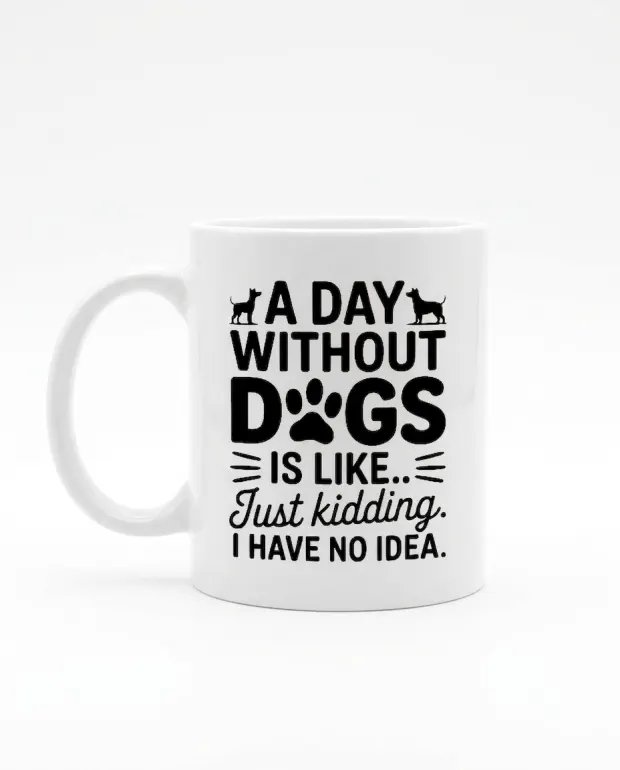
And here’s the in-use scene for slot 3. The leash in the shot tells the dog-owner buyer it’s for them:
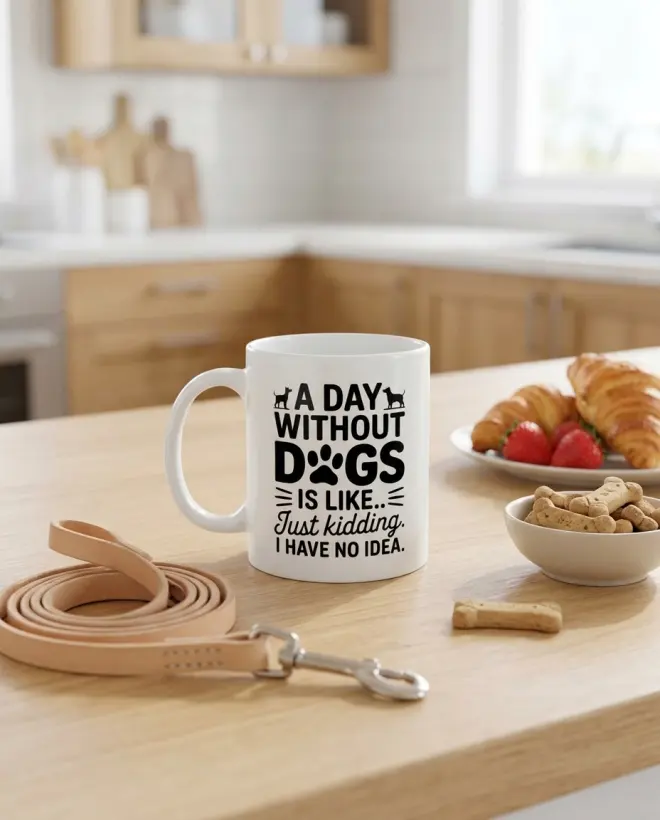
Notice that neither lifestyle shot is in slot 1. That’s deliberate, and it’s about Etsy’s rules.
Where lifestyle mockups fit, and Etsy’s accuracy rule
Etsy’s handbook recommends using your first image or video to “show the actual physical item the buyer will receive,” and says that should be “not a rendering or stock photo” (Etsy Seller Handbook). The same page says additional listing images “may contain mock ups provided by production partners.” It also calls out a common problem: sellers using a production partner’s digital mockup instead of photos of the actual item.
Guides that quote Etsy’s listing image policy say POD sellers with an original design may use a mockup to show the end product (SellerMockups). Read the policy page yourself before relying on that. Here is the setup that fits both the handbook and the policy:
- Slot 1: a photo of the real item. The safest choice is a photo of a sample you ordered. A supplier render in slot 1 is a stopgap at best: the handbook names partner digital mockups used instead of real photos as a common problem. Ordering a sample and photographing it is the fix.
- Slots 2 and later: lifestyle mockups that accurately show that same product, with the same color, print placement and print size.
Getting to those lifestyle shots usually means three tools. I design the print, create the product at Printful or Printify, then bring the product photo back for lifestyle scenes. That last step is where LzyPOD fits. You upload the product photo and get a lifestyle scene with a model or setting, at 3 credits per mockup. The free account’s 15 credits covers five of them, enough for slots 2, 3, 5 and 8 plus one spare. LzyPOD doesn’t place your design onto a blank shirt. It works from a photo of the product you already created. For the full mockup walkthrough, see how to make product mockups for Etsy.
If you’re worried about AI-made images on Etsy more broadly, I cover the rules in Etsy’s AI policy.
Exporting Etsy photos at the right size without losing quality
Listing photos are web images, not print files, so the targets are simpler than they look:
- Size: at least 2000 px on both sides. A 2000 x 2000 square for slot 1 covers the recommendation and the crop problem at once.
- Format: JPG for photos, PNG for graphics with small text, like your size chart and care card. Flatten everything onto a solid background. Guides disagree on how transparent PNGs behave on Etsy, so don’t rely on transparency.
- File weight: if an upload stalls, remember Etsy’s warning that files over 1 MB may not finish uploading. Lower the JPG quality a notch and keep the pixel dimensions. Shrinking below 2000 px to save weight trades one problem for another.
- Small source images: if your supplier’s product photo comes out smaller than 2000 px, upscale it before making mockups. My notes on free vs AI upscalers are in how to upscale an image for printing. The same tools work for web images.
Don’t confuse this with your print file. Your print file has different requirements, so check your supplier’s file specs.
Common questions
What size should Etsy listing photos be?
Etsy recommends at least 2000 px wide and 2000 px high, and the first photo should be at least 635 x 635 px to avoid ranking lower in search (Etsy Help). A 2000 x 2000 square is the simplest choice for the first photo.
How many photos can an Etsy listing have?
Up to 20 photos per listing, according to seller guides that track Etsy’s changes (List Perfectly). The old limit was 10, and many older guides still list it, so check your listing form to confirm. Fill the slots that answer real buyer questions instead of padding to 20.
Can I use mockups instead of real photos on Etsy?
For additional images, yes. Etsy’s handbook says they may contain mockups from production partners. For the first image, it recommends the actual physical item rather than a rendering (Etsy Seller Handbook), so put a real product photo first and mockups after it.
Does Etsy compress listing photos?
Etsy’s image guidelines page doesn’t say how it processes photos after upload. It does warn that files over 1 MB may not finish uploading, and it recommends 2000 px or more. Export at full size and keep files light enough to upload reliably.
Does the listing video count toward the 20 photos?
Seller guides say no: videos sit on top of the photo limit (TalkPix). Guides disagree on whether you get one video or two, so check the listing form in your shop.
Make your next design in seconds
LzyPOD turns a sentence into print-ready, transparent designs, lifestyle mockups and video ads. Built for POD sellers, not designers.
Try LzyPOD free → Free to try · no card needed