Amazon Product Video Requirements (2026): Specs and Rules
Amazon’s own seller page says shoppable product videos must be .mov or .mp4, up to 1080p, no larger than 5 GB, and between 1 and 12 minutes long (Amazon Sell blog, May 2025). You do not need Brand Registry: a Professional selling account, at least 3 months of selling history and live listings are enough. Note the 1 minute minimum, because most “keep it under 30 seconds” advice does not fit it.
Amazon product video requirements at a glance
Everything below comes from Amazon’s page unless I label it third-party. Amazon can change these, so check the upload tool before you export (specs as of November 2026).
| Requirement | What Amazon says |
|---|---|
| File types | .mov or .mp4 |
| Resolution | Up to 1080p, highest available quality recommended |
| Max file size | 5 GB |
| Length | Between 1 and 12 minutes |
| Thumbnail | System-generated or custom, in .jpg, .png, .gif or .bmp |
| Videos per ASIN | Up to 4 shoppable videos |
| Text on screen | Amazon recommends basic text overlays for important information |
| Where it shows | Main media block, the videos section of the detail page, and search results |
Source for every row: Amazon Sell blog. Two gaps worth knowing:
- Aspect ratio: Amazon’s page does not give one. Third-party guides commonly cite 16:9 (Webretailer, eComEngine), but that is their advice, not an Amazon rule.
- Thumbnail size limit: the page’s stated limit looks like a typo, so I am not printing one. Check the limit shown in Seller Central when you upload.
Many guides list 500 MB or 1 GB caps, 720p minimums or “under 5 minutes”. Those do not match Amazon’s page. Sponsored Brands video ads are a separate product with their own specs (third-party sources put them at 6 to 45 seconds and 500 MB or less, per v4v.ai), so don’t mix them up with listing videos.
Who can upload a video to an Amazon listing?
Both brand registered and non-brand registered sellers with at least three months of selling history can add shoppable videos, per Amazon. The requirements:
- A Professional selling account
- At least 3 months of selling history
- Live listings
Amazon opened this to non-brand-registered sellers in June 2023, according to a report of the Amazon forum announcement. Plenty of older guides still say Brand Registry is required. For US sellers on Amazon’s current page, it isn’t.
Everything above is from Amazon’s US seller site. Third-party sources say detail-page video has mostly been vendor-only in the EU and UK, but that is dated, so check your own marketplace in Seller Central.
What about Merch on Demand? I could not find an Amazon source that says whether Merch on Demand creators can add listing videos. What I can say: Amazon creates the Merch listing from your uploaded design, and Merch accounts are separate from Seller Central (SellerLabs, 2021). The video tool lives in Seller Central. So if you only sell through Merch, ask Merch support before planning around a listing video. If you are weighing Merch against Etsy, the Amazon Merch on Demand vs Etsy comparison covers royalties and fees.
How to add a video to your Amazon listing, step by step
Amazon documents two routes in Seller Central (source).
Route 1: Upload and Manage Videos
- Go to Catalog, then Upload and Manage Videos.
- Click Upload video.
- Fill in Title, ASINs, Video type, Brand association and Language of video.
- Choose a thumbnail (system-generated or custom).
- Click Submit.
Route 2: from the image uploader
- Go to Catalog, then Upload images.
- Select the product in the left pane.
- Open the Videos tab in the right pane.
- Fill in the same fields and click Submit.
Older guides send you to Inventory, then Upload & Manage Videos. Amazon’s current page says Catalog. Amazon’s Add product images and video help page recommends six images plus one video per detail page.
Two things that trip people up:
- The video may not show. Amazon’s help page recommends six images plus one video, but the Amazon Sell blog says the video only shows in the main media block if the product has fewer than six images. Put plainly: with six or more images, your video may not appear in the main media block. The most recently uploaded video gets priority in the display order.
- Four videos is the cap per ASIN.
What gets Amazon product videos rejected?
Amazon’s public page only says it will review your video “to ensure it meets community guidelines”. It does not list prohibited items. So here is what I can source, with labels:
- From a seller’s forum post quoting Amazon’s video content guidelines (not Amazon’s wording): sexual content or nudity, hate speech, graphic violence, bad language, personal contact information, promotional material and vote solicitation (Seller Forums).
- Commonly cited by third parties, not Amazon: prices, promotions and discounts, web links or calls to action that send people off Amazon, competitor put-downs, unsupported product claims, and requests for reviews (Webretailer, eComEngine).
That means a typical Facebook ad ending (“Grab yours today, link in bio”) is a poor fit for a listing video. Treat the third-party list as a safe-side checklist and read the guidelines in Seller Central.
If a video is rejected, you can appeal. An Amazon staff reply in the Seller Forums points sellers to the “Video Review Appeals” process and says to reply if you have no answer after 3 to 5 business days (thread).
Can a 15 to 20 second video go on an Amazon listing?
Going by Amazon’s page, not as a shoppable listing video. It states a minimum of 1 minute, and a 15 to 20 second ad is under that. If the upload tool shows a different limit when you try, trust the tool.
The short format still has a use. It works for TikTok, Reels and Facebook ads that send traffic to your Amazon listing. For a listing video you need a longer cut.
What to put in a product video (shot list from a real ad)
Here is the shot order of a 15 second LzyPOD ad for a custom dog portrait tee. The structure carries over to a longer listing video, you just spend more time on each beat.
- Hook, someone using it. A woman laughing at her phone on the couch with her dog.
- Product in real use. A man wearing the tee at a dog park, so the buyer sees real size.
- Detail close-up. The print and the name, so quality is visible.
- Product alone. The tee laid flat.
- End card. Product name and one line of text.
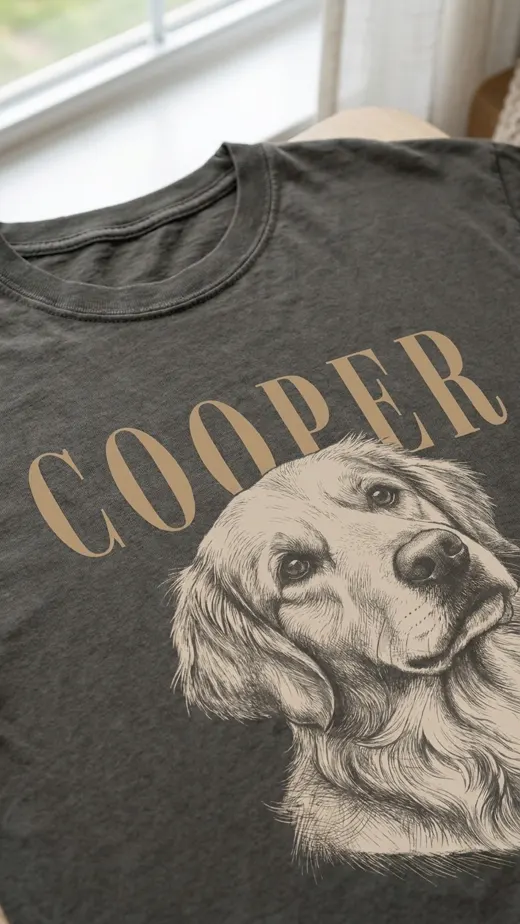
Amazon recommends basic text overlays for important information, so put the name, size or key feature on screen. For a listing video, drop the sales ending (see the rejection section) and keep the close-ups and in-use shots. If you also sell on Etsy, the same footage can be trimmed to those specs, see Etsy listing video requirements and the Shopify product video requirements.
Making the video from product photos instead of filming
This ad was made in LzyPOD from one product photo, a man wearing the tee:
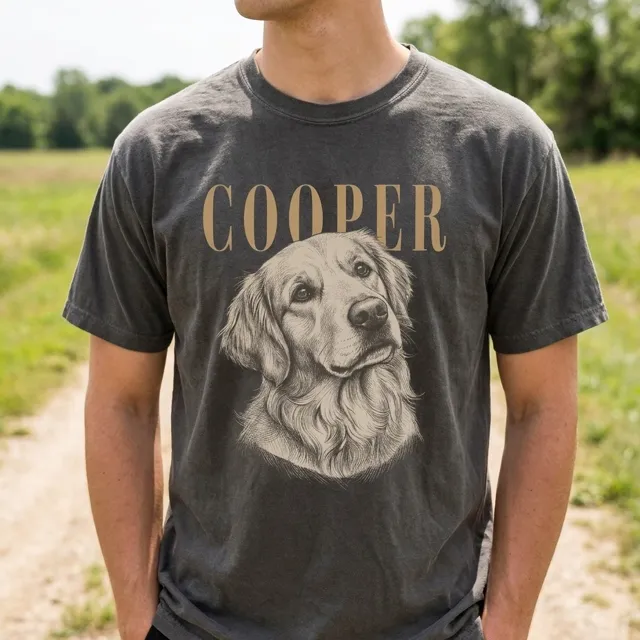
The scenes with people are newly AI-made, and your photo is only a reference. A video ad costs 25, 45 or 60 credits depending on motion, and the free account’s 15 credits is not enough for one. The output is 15 to 20 seconds in 1:1, 4:5 or 9:16, so it fits ad placements and social posts, not Amazon’s 1 minute listing minimum. Check the product video ad generator page for how it works. If you want to try it, make a product video ad on LzyPOD.
Common questions
Can I add a video to my Amazon listing without Brand Registry?
Yes. Amazon says brand registered and non-brand registered sellers can add shoppable videos if they have a Professional account, at least 3 months of selling history and live listings (Amazon).
Do Amazon product videos have sound?
Amazon’s page does not say whether listing videos play with sound or muted by default. It does recommend basic text overlays for important information, so make the video understandable without audio.
What aspect ratio should an Amazon product video be?
Amazon’s page gives no aspect ratio. Third-party guides commonly cite 16:9, but treat that as advice and check the upload tool.
Can Merch on Demand sellers add videos to their listings?
I found no Amazon source that settles it. Merch listings are created by Amazon, and the video tool is in Seller Central, so ask Merch support before you plan around it.
How long can an Amazon product video be?
Between 1 and 12 minutes, per Amazon’s Sell blog. A 15 to 30 second clip falls under that minimum.
Turn one product photo into a video ad
LzyPOD Video Ads writes the script, makes new scenes of your product, adds voice and music, and edits it all into a ready-to-post ad. No filming, no editing.
See example ads → Free to try · no card needed